No description (alt text)
A short text that screen readers read aloud and that shows when a picture fails to load. Missing, or too generic to help, is reported. A purposely empty one on a decorative image is correct and left alone.

Image Doctor, included in every plan
Images are the heaviest, most overlooked part of most websites. Missing descriptions leave screen-reader users with nothing, giant files slow every phone, and broken pictures look like a house with a missing window. Image Doctor lists every image on your pages, shows what is wrong with each one and exactly how to fix it, and checks again after you do.
/img/hero-banner.jpg/img/old-sale.png/img/team-photo.jpg/img/product-3.jpg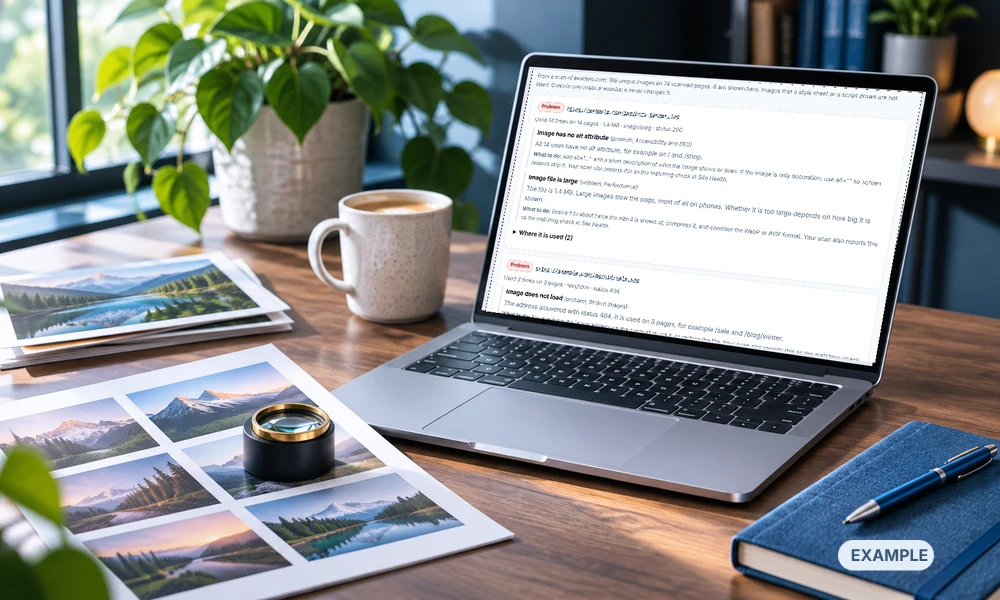
What it finds
A short text that screen readers read aloud and that shows when a picture fails to load. Missing, or too generic to help, is reported. A purposely empty one on a decorative image is correct and left alone.
Addresses that answer "not found" or an error, with every page that uses them.
Photos that are far larger than a page needs, measured in kilobytes, with advice on resizing and newer formats.
Images with no width and height, so the page moves while it loads.
A big image near the top set to load lazily, which delays what visitors see first.
The same picture with different descriptions on different pages, listed so you can check each one fits.
The Images screen is on every verified website, next to Site Health. At the end of every full scan Crawvix builds a list of the images on the pages it read, and shows each problem with the evidence and what to do. You can export the list as a spreadsheet. These image checks also run in every full scan, with fix steps and a recheck:
alt attribute are reported, and a purposely empty alt="" on a decorative image is not treated as a mistake.After you prove the website is yours and a full scan has run, Crawvix builds a list of the images written into your pages' HTML (up to 2,000): where each is used, its description, and how the page loads it. For up to 200 of them it also asks the server for the file size, type and whether the address works. One image used on ten pages is listed once, with ten places of use, because the right description can depend on where the picture appears.
Problems are sorted by how much they matter. Each shows the image address, the pages that use it, exactly what we measured and the next step. Where we are not sure, for example a description that might be too generic, it is marked review, never as a definite failure.
On request, Crawvix proposes a description for each image from the page around it, or recommends an empty description when the picture is only decoration. You see the original and the proposal side by side, edit it, and approve only what you want. Nothing is invented: we do not make up materials, sizes, brands or claims the page does not show.
Download a spreadsheet with every image, the pages that use it, its current description and what to fix, and a second one with the descriptions you approved. Press Optimize my images to get one ZIP of lighter WebP copies of your heaviest JPEG and PNG pictures, with a list that shows which file replaces which address and how much smaller each one is. Your original files are never touched, and Crawvix never changes your website by itself: you upload the new files.
After you publish your changes, run a new full scan. The list is rebuilt from your live pages, so an image you fixed no longer shows the problem, with the time of the scan on the screen. A side-by-side "fixed since last time" view is planned.
We would rather tell you plainly than promise early. This table is updated when something ships.
| Stage | What it does | Status |
|---|---|---|
| Image checks in the scan | Alt text, broken images, heavy images and the main image, with evidence, fix steps and rechecks. | Available now, in every plan |
| Image list and screen | Every unique image, where it is used, its size and status, and its problems, with filters and a spreadsheet export. Built after each full scan of a verified website. | Available now, in every plan |
| Fix my images | Converts your heaviest JPEG and PNG pictures to WebP in our own code and gives you one ZIP with the new files, a README that shows the savings and where each file goes, and a fix list of every image problem with what to do. Verified websites only; the number per press and per month depends on your plan. | Available now, in every plan |
| Suggested descriptions (Alt Text Writer) | One suggestion per image that you edit, approve or reject, and a spreadsheet of the approved ones. Some suggestions are included in every plan. | Built; switched on for customers once its first live test is done. A larger monthly allowance as an optional add-on is planned |
| Changes through your own tools | For example a proposed change to your repository for you to review. Only with your explicit permission, a preview and your approval each time. | Later; not started |
Run a full scan, see every problem with the evidence, and work through a numbered plan until it is fixed. Only need one website checked? The Launch Check is a single payment with no subscription.