SEO-Friendly URLs: How to Build Readable, Stable Web Addresses
Design readable URLs with plain words, hyphens and one consistent case, avoid parameter and session-ID sprawl, and change old URLs safely with 301 redirects.

Practical, step-by-step website launch and SEO health guides.
Showing 97 to 120 of 297 guides (page 5 of 13)
Design readable URLs with plain words, hyphens and one consistent case, avoid parameter and session-ID sprawl, and change old URLs safely with 301 redirects.
Audit your site for empty, near-empty, copied and near-duplicate pages, then decide whether to expand, merge, redirect, canonicalize or remove each one.
Plan topic clusters and pillar pages for a small site: pick a topic, split it into focused pages, link them in context and avoid thin filler.
Find out why Google shows a different title than your title tag, which signals it reads, and how to write page titles that are less likely to be replaced.
Write a unique title and meta description for each page around one search intent, keep headings consistent and audit templates for duplicates.
Turn on Brotli or gzip for HTML, CSS and JavaScript, choose the right file types and levels, and verify the Content-Encoding and Vary headers with curl.
Set Cache-Control headers so browsers and CDNs reuse static files, keep HTML fresh, avoid stale CSS and personal pages in shared caches, and verify the result.
Set up a CDN for speed, choose what to cache, keep Googlebot and Bingbot able to crawl, and verify cache headers, status codes and bot access afterwards.
Learn what the three Core Web Vitals measure, the good and poor thresholds, why field and lab numbers differ, and how to read your results and plan fixes.
Understand how the Search Console Core Web Vitals report groups URLs, why it shows no data, and how to rank fixes and track them over a 28-day window.
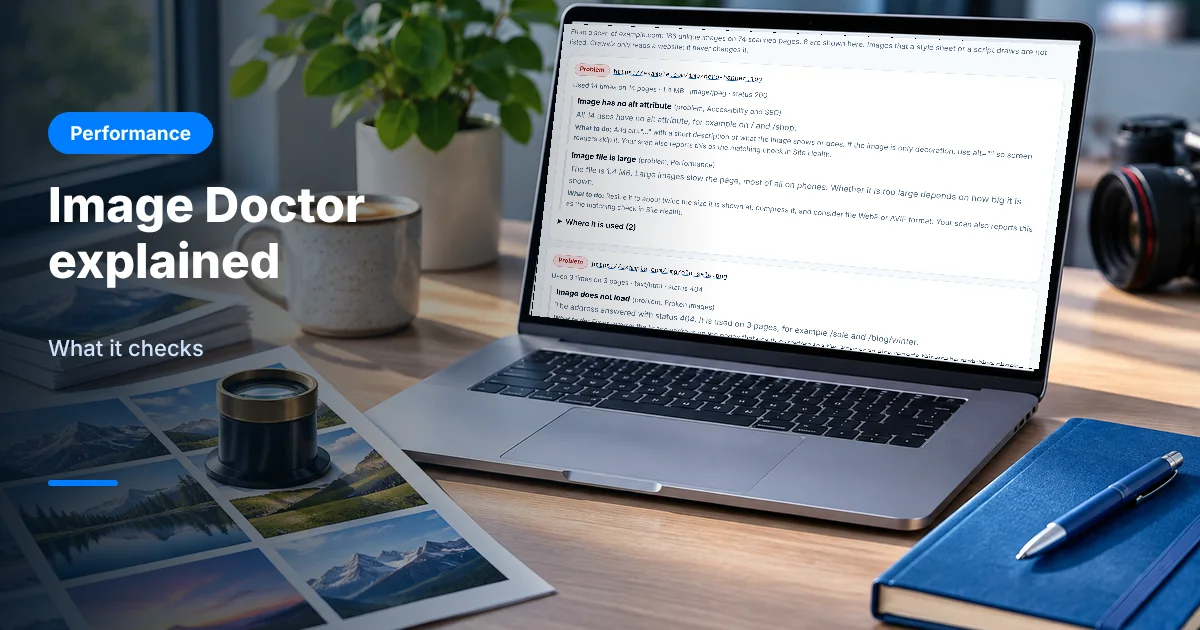
Image Doctor lists the images on your pages and flags missing alt text, broken or heavy files and layout risks, with the evidence and a fix for each finding.
Learn when critical CSS is worth the effort, how to extract above-the-fold styles, inline them in the head, load the rest later and test for flashes.
Compare defer vs async JavaScript, see how each changes download and execution order, and pick the right attribute for every script on your page.
Compare Lighthouse lab results with Chrome UX Report field data, understand why they differ metric by metric and decide which one to act on.
Identify your page's LCP element, then fix slow server response, late discovery and oversized images, and retest in lab and field data on mobile.
Choose the right font-display value, preload key fonts, subset to WOFF2 and match fallback sizes so web fonts load fast without text jumping on screen.
Learn how to compress images for the web: resize first, pick quality settings per format, batch the work, check the result and measure the savings.
Run an image audit website owners can repeat: list every image, find the heaviest files and the LCP image, then fix them in the right order.
Learn how to read a Lighthouse report: the four categories, how the performance score is weighted, what each metric means and which items to fix first.
See what HTTP/2 and HTTP/3 change, check which protocol your site uses with DevTools and curl, turn them on safely and know what they will not fix.
Compare HTTP/2 and HTTP/3 on a CDN: how QUIC over UDP 443 differs from TCP, what to switch on, how to test with curl and DevTools, and what can go wrong.
Compare image compression tools by category, from browser apps and command-line encoders to CMS plugins and CDNs, and choose one that fits your team.
A practical look at web image file size: rule-of-thumb targets by image role, how pixel dimensions and screen density change bytes, and how to measure.
Stop image layout shift by reserving space before pictures load. Use width and height, CSS aspect-ratio and responsive rules, then test in DevTools.